


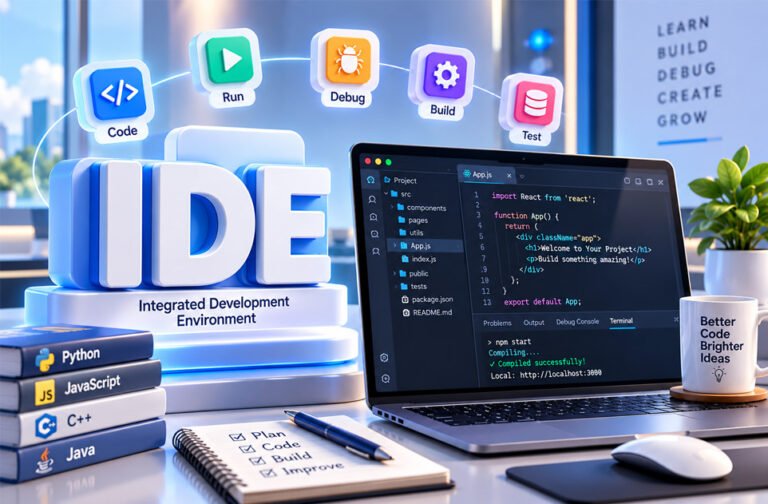
An IDE is a software tool that helps developers write and build programs. IDE stands for Integrated Development Environment. It brings many coding tools into one place, so developers do not need to use a different program for every task.
There are many IDEs for different programming languages, operating systems, and types of projects.
In this guide, you will learn what an IDE is, how it works, its main features and types, popular IDEs, AI coding tools, and how to choose the right IDE.
What Is an IDE?
An IDE, or Integrated Development Environment, is software that gives developers many coding tools in one place.
Developers can use an IDE to write code, run programs, find errors, test software, and manage projects.
Without an IDE, a developer may need different programs for different jobs. For example, they may use one program to write code, another to compile it, and another to find bugs.
An IDE brings these tools together. This makes software development easier to manage.
Some IDEs focus on one programming language. For example, PyCharm mainly focuses on Python. Other development tools support many languages through plugins and extensions.
Some IDEs are also made for a specific platform. Xcode is used for Apple development, while Android Studio is made for Android development.
IDEs can be useful for both beginners and professional developers.
How Does an IDE Work?
An IDE brings different parts of software development into one program.
A developer normally starts by creating a new project or opening an existing one. A project may contain code, images, libraries, settings, tests, and other files.
The developer writes code using the built-in code editor. The IDE may highlight different parts of the code and suggest words, functions, or other code while the developer types.
Many IDEs can also find simple errors while code is being written.
The next step depends on the programming language. Some languages need a compiler before the program can run. Other languages use an interpreter.
The IDE connects these tools to the project, making it easier to run the program.
If something goes wrong, the developer can use the debugger to find the problem. The debugger can pause the program and show what is happening at a certain point.
Many tasks can be done using buttons, menus, or keyboard shortcuts. Developers do not always need to type every command manually.
They can then fix the problem, run the program again, and continue working.
Main Parts of an IDE
Different IDEs offer different tools. However, most full IDEs include some common parts.
Code Editor
The code editor is where developers write and change their code.
It usually includes features that make programming easier. One common feature is syntax highlighting, which makes different parts of the code easier to see.
Code editors may also offer automatic indentation, code suggestions, search and replace, and easy navigation between files.
Compiler and Interpreter
A compiler changes source code into a form that a computer can run or process.
Some programming languages work differently. Python, for example, normally uses an interpreter.
An IDE can connect to these tools so developers can run their programs more easily.
Linker and Build Tools
A linker can combine compiled code and required libraries to create the final program.
Modern build tools can also handle files, libraries, tests, packages, and other parts of a project.
An IDE can automate many of these jobs.
Debugger
A debugger helps developers find and fix problems in their programs.
Developers can add a breakpoint to a line of code. When the program reaches that point, it pauses.
The developer can then check variables and see what the program is doing.
A debugger can also run code one step at a time. This makes it easier to find where a problem starts.
Testing Tools
Testing tools help developers check if their software works correctly.
Many IDEs can run unit tests and other automated tests. Developers can see the test results without leaving the IDE.
This is especially useful for larger projects because developers can check if a new change has caused another part of the program to stop working.
Project Management Tools
Software projects can contain many files, folders, libraries, and settings.
An IDE helps developers keep these files organized. It can also make it easier to search through a large project.
Some IDEs provide templates that automatically create the basic files needed for a new project.
Common IDE Features
Modern IDEs can include many useful features. The exact features depend on the IDE and programming language.
Syntax Highlighting
Syntax highlighting makes code easier to read.
Different parts of the code are shown differently, helping developers quickly find keywords, comments, strings, functions, and other elements.
Intelligent Code Completion
Code completion suggests code while a developer is typing.
It may suggest functions, variables, classes, or other useful code based on the project.
Microsoft’s IntelliSense is a well-known example.
Error Detection
Many IDEs can find possible errors while a developer writes code.
They may highlight syntax mistakes, unused code, duplicate code, or other possible problems.
This allows developers to fix some errors before running the program.
Code Refactoring
Refactoring means improving the structure of code without changing what the program is supposed to do.
For example, an IDE can help safely rename a variable, method, or class across a project.
Code Navigation and Search
Large projects may contain thousands of files.
Navigation tools help developers quickly find a function, class, variable, file, or other part of the project.
Developers can also search across many files at the same time.
Built-In Terminal
Many IDEs and development tools include a terminal.
Developers can use it to run commands, scripts, package managers, Git, and other tools without opening another program.
Version Control Integration
Version control helps developers keep track of changes to their code.
Git is one of the most common version-control systems.
Many IDEs include Git tools. Developers can view changes, create commits, work with branches, and manage code repositories from the IDE.
Plugins and Extensions
Plugins and extensions add new features to an IDE.
They can add support for programming languages, frameworks, themes, testing tools, formatters, cloud services, and AI assistants.
However, installing too many plugins can make an IDE harder to manage.
Build and Deployment Tools
Some IDEs help developers build, package, and deploy their applications.
These tools can be different depending on whether the developer is creating a website, mobile app, desktop program, or another type of software.
Visual Development and Database Tools
Some IDEs include visual design and database tools.
For example, Visual Studio provides visual tools for some types of applications.
Some IDEs can also connect to databases and help developers view and manage data.
Types of IDEs
There are several types of IDEs. They can be grouped by programming language, platform, or where they run.
Language-Specific IDEs
A language-specific IDE mainly focuses on one programming language.
Because of this, it can provide special tools for that language, including debugging, testing, code completion, and refactoring.
PyCharm mainly focuses on Python, while IntelliJ IDEA is well known for Java development.
Multi-Language IDEs
Some development environments support many programming languages.
They may support several languages by default or allow users to add more through extensions.
This is useful when one project uses several technologies.
Desktop IDEs
Desktop IDEs are installed directly on a computer.
They use the computer’s processor, RAM, and storage.
Many desktop IDEs can be used without a constant internet connection. However, some IDEs only work on certain operating systems.
Cloud-Based IDEs
Cloud IDEs use remote servers and can often be accessed through a web browser or connected editor.
They can reduce the need to install and set up many tools on a local computer.
Cloud development can also help teams use similar development environments.
However, it usually depends more on an internet connection. Developers should also consider privacy, security, storage, service availability, and cost.
Platform-Specific IDEs
Some IDEs are made for a specific platform.
Xcode is Apple’s development environment for creating software for Apple platforms.
Android Studio is Google’s official IDE for Android app development.
These IDEs include tools made specifically for their platforms.
IDE vs Code Editor
An IDE and a code editor are similar, but they are not exactly the same.
A code editor mainly helps developers write and edit code. It may include syntax highlighting, search, automatic indentation, and code suggestions.
An IDE usually provides more tools. It can include debugging, testing, compiling, building, project management, version control, and deployment tools.
However, the difference is not always clear today.
Visual Studio Code is a good example. Microsoft describes VS Code as a source-code editor. However, extensions can add debugging, testing, AI tools, programming language support, and many other features.
This means developers can use VS Code much like an IDE.
A code editor may be better for someone who wants a fast and simple tool. A full IDE may be better for large or complex projects.
The best choice depends on the project and the developer’s needs.
AI Tools in Modern IDEs
Many modern IDEs and code editors now support AI tools.
AI can suggest complete lines or blocks of code while a developer is working. It can also create common code that would otherwise need to be written manually.
AI tools can explain difficult code, suggest fixes, help find bugs, write tests, create documentation, and suggest ways to improve existing code.
Some AI tools can understand information from several project files. They may also make related changes across multiple files.
However, developers should always check AI-generated code.
AI can make mistakes, misunderstand the project, suggest old methods, or create security problems. Important code should always be reviewed and tested.
AI-Native IDEs and Coding Assistants
Some development tools are built around AI, while traditional IDEs can add AI through extensions or built-in features.
Cursor
Cursor is an AI-focused code editor based on Visual Studio Code.
It can use information from a larger codebase to help developers understand, write, and change code.
It can also make changes across multiple files and help plan larger coding tasks.
Cursor is mainly useful for developers who want AI to be a major part of their coding workflow.
AI Assistants in Traditional IDEs
Developers can also use AI inside traditional development tools.
GitHub Copilot, for example, works with popular editors and IDEs and can provide AI-powered coding help.
JetBrains also provides AI features for tools such as IntelliJ IDEA, PyCharm, and WebStorm.
The main difference is that an AI-native tool is designed around AI, while a traditional IDE adds AI to an existing development environment.
Command-Line AI Coding Agents
Some AI coding tools work from the command line instead of a normal IDE window.
Examples include Claude Code and Gemini CLI.
Depending on their settings and permissions, these tools can read project files, change code, run commands, and run tests.
They are not traditional IDEs. Instead, developers can use them together with an IDE or code editor.
Popular IDEs and Development Environments
There is no single best IDE for every developer. Different tools are better for different languages and projects.
Visual Studio
Visual Studio is Microsoft’s full development environment. It is commonly used for .NET and C++ development.
It includes IntelliSense, debugging, testing, refactoring, profiling, building, and deployment tools.
It also supports Git and extensions that can add more features.
Visual Studio Code
Visual Studio Code, or VS Code, is Microsoft’s source-code editor. It works on Windows, macOS, and Linux.
It supports JavaScript, TypeScript, and Node.js. Extensions can add support for Python, C++, C#, Java, PHP, and many other languages.
VS Code also supports debugging, Git, a built-in terminal, testing extensions, remote development, and AI tools.
Microsoft describes VS Code as a code editor, but developers can add enough features to use it like an IDE.
IntelliJ IDEA
IntelliJ IDEA is a JetBrains IDE mainly known for Java and JVM development.
It provides code completion, code analysis, navigation, refactoring, debugging, and testing tools.
It also supports many plugins for adding languages, frameworks, and other tools.
PyCharm
PyCharm is a JetBrains IDE mainly designed for Python.
It provides Python code completion, debugging, testing, code analysis, navigation, and refactoring.
It can also work with Git and other common Python development tools.
Xcode
Xcode is Apple’s official development environment.
It is used to create software for Apple platforms and is commonly used with Swift and Objective-C.
It includes a code editor, compiler, build tools, debugger, simulators, and other Apple development tools.
Apache NetBeans
Apache NetBeans is a free and open-source IDE.
It is well known for Java development but also supports other technologies.
Its features include code editing, code completion, debugging, refactoring, project management, and plugins.
Eclipse
Eclipse is a free and open-source development platform.
It has a long history with Java development, but plugins can add support for other languages and tools.
It provides features such as code editing, debugging, refactoring, syntax checking, and project management.
WebStorm
WebStorm is a JetBrains IDE made for JavaScript and web development.
It supports JavaScript, TypeScript, HTML, CSS, Node.js, and popular web frameworks.
It includes code completion, navigation, refactoring, code analysis, debugging, and an HTTP client.
IDLE
IDLE is Python’s Integrated Development and Learning Environment.
It includes a Python shell and a simple code editor. It supports syntax coloring, automatic indentation, autocomplete, search and replace, and basic debugging.
IDLE has fewer advanced features than PyCharm, but its simple design can be useful for learning Python and creating small programs.
Other Development Editors
Some development tools are sometimes called IDEs even though they are mainly code or text editors.
Sublime Text is a fast code editor that works on several operating systems. It supports many programming languages and can be expanded with packages.
Notepad++ is a free and open-source code and text editor for Windows. It supports many programming languages and plugins.
Brackets was an open-source editor focused on web development. Adobe ended support for Brackets in 2021, although community versions have continued.
Atom was an open-source code editor developed by GitHub. It offered packages, themes, multiple panes, and many customization options. GitHub officially ended Atom on December 15, 2022.
These examples show that the difference between an IDE and a code editor is not always simple. Plugins can give a basic editor many features normally found in an IDE.
Benefits of Using an IDE
An IDE can make software development easier because many important tools are available in one place.
Developers do not need to constantly switch between separate programs for writing, testing, building, and debugging code.
Code completion can reduce typing, while error detection can help find simple mistakes early.
Debugging tools make it easier to understand why a program is not working correctly.
IDEs can also make large projects easier to manage. Search, navigation, testing, Git, and refactoring tools help developers work with large amounts of code.
Plugins allow developers to add the tools they need.
Modern AI features can also help write repetitive code, explain difficult code, find possible problems, and suggest improvements.
Limitations of IDEs
Full IDEs can use more RAM, storage, and processing power than simple code editors.
They can also take time to learn because they may contain many menus, settings, and tools.
Some IDEs work best with certain languages or platforms. This means one IDE may not be suitable for every project.
Plugins can add useful features, but installing too many can make an IDE slower or harder to manage.
Cloud IDEs depend more on an internet connection and remote services. Developers may also need to think about privacy, security, storage, and cost.
AI coding tools also have limits. They can give incorrect suggestions or create code with bugs or security problems. Developers still need to review and test the code.
Desktop IDEs vs Cloud IDEs
Desktop IDEs are installed on a computer. Cloud IDEs use remote servers and are normally accessed through a browser or connected editor.
Desktop IDEs can work directly with local files and hardware. Many tasks can also be completed without an internet connection.
However, their performance depends on the computer.
Cloud IDEs can reduce local setup work. They can also help teams use the same development setup.
Remote servers may provide more computing power than a developer’s local computer.
However, cloud IDEs depend more on internet access and the cloud provider. Cost, privacy, security, and service availability may also be important.
The best choice depends on the project. Some developers use both local and remote development tools.
How to Choose the Right IDE
Start by looking at the programming language you want to use.
The IDE should support the languages, frameworks, and tools needed for your project.
You should also check operating-system support. Some IDEs work on Windows, macOS, and Linux, while others only work on certain systems.
Computer performance is another factor. A simple code editor may work better on a computer with limited RAM or processing power.
For larger projects, look for good debugging, testing, search, navigation, refactoring, Git, and project-management tools.
Also check plugins and extensions if you may need extra features later.
If you want AI tools, compare their code generation, explanation, refactoring, and project understanding features.
Beginners should also consider documentation and community support.
Finally, check the price and license. Some IDEs are free and open-source, while others have free and paid versions.
IDEs for Different Types of Development
Different types of development may require different IDEs.
For Python, IDLE can be useful for beginners and small programs. PyCharm provides more advanced Python development tools.
For Java, popular options include IntelliJ IDEA, Eclipse, and Apache NetBeans.
For .NET and C++, Visual Studio is a common choice.
For web development, VS Code supports many front-end and back-end technologies through extensions. WebStorm focuses strongly on JavaScript and web development.
For Apple app development, Xcode is Apple’s official development environment.
For Android development, Android Studio is Google’s official IDE.
There is no IDE that is best for every project. The right choice depends on what you want to build.
Tips for Using an IDE Effectively
Here are some simple ways to use an IDE more effectively:
- Learn useful keyboard shortcuts.
- Use search and code navigation for large projects.
- Use a formatter and linter when needed.
- Use Git to keep track of code changes.
- Learn how to use the debugger and breakpoints.
- Install only the plugins you need.
- Keep your IDE and plugins updated.
- Run tests regularly.
- Check warnings instead of simply ignoring them.
- Always review and test AI-generated code.
- Choose an IDE based on your project and needs.
Bottom Line
An IDE gives developers many software development tools in one place. It can help with writing, running, testing, debugging, building, and managing code.
Different IDEs are useful for different jobs. PyCharm focuses on Python, IntelliJ IDEA is popular for Java, Visual Studio is widely used for Microsoft development, and Xcode is made for Apple platforms. VS Code can also provide many IDE-like features through extensions.
Modern IDEs increasingly include AI tools for writing, explaining, and improving code. However, developers should still review and test AI-generated code.
The best IDE depends on your programming language, project, operating system, computer, and preferred way of working.
Frequently Asked Questions
What does IDE stand for?
IDE stands for Integrated Development Environment. It is software that brings useful coding tools together in one place.
What is an IDE used for?
An IDE is used to write, run, test, and fix code. It also helps developers manage software projects.
What is the difference between an IDE and a code editor?
A code editor is mainly for writing code. An IDE also includes tools for testing, debugging, building, and managing code.
Is Visual Studio Code an IDE?
VS Code is officially a code editor. However, you can add extensions that give it many IDE features.
Which IDE is best for beginners?
It depends on the programming language. IDLE is a simple choice for beginners learning Python.
Are IDEs free?
Many IDEs are free, while some have paid plans or versions. Always check the price and license of the IDE you choose.
Can I use an IDE online?
Yes. Cloud IDEs let you write and run code online through a web browser or remote environment.
Do modern IDEs have AI tools?
Yes. Many IDEs have AI tools that can write, explain, check, and improve code.
