


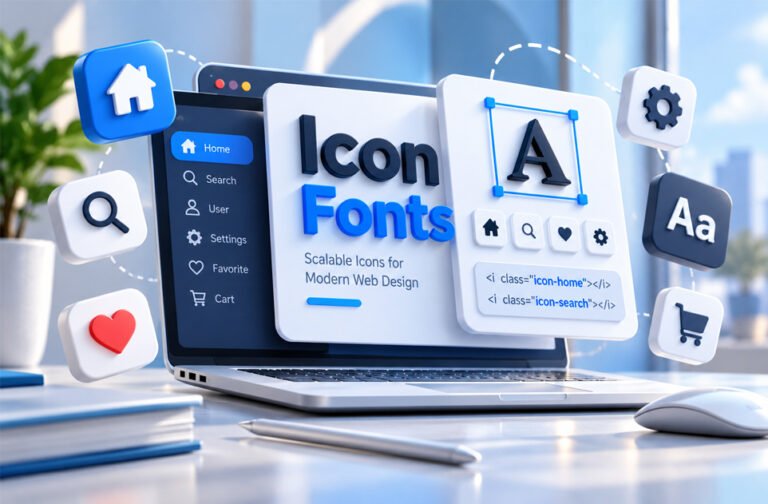
Icon fonts are special fonts that contain icons instead of normal letters and numbers. They are often used on websites and apps for menus, buttons, social media links, arrows, and other small symbols.
Icon fonts are popular because they can be resized and styled with CSS. However, they also have some problems with accessibility, loading, and design.
This guide explains what icon fonts are, how they work, their benefits and limitations, and how they compare with SVG icons.
What Are Icon Fonts?
Icon fonts are font files that contain icons instead of normal text characters.
A normal font contains letters and numbers such as A, B, C, 1, 2, and 3. An icon font contains symbols such as a home, search icon, user, arrow, heart, or shopping cart.
Browsers treat these icons much like text. This means developers can use CSS to change their size, color, and other styles.
For example, a developer can use an icon font to place a search symbol inside a search button. The same icon can be made bigger or smaller without creating another image.
Icon fonts are different from PNG and JPG images. These images are made from pixels and can lose quality when made much bigger. Icon fonts are scalable, so they stay clear at different sizes.
Common icon font uses include:
- Home and menu icons
- Search icons
- User and account icons
- Arrows
- Play and pause buttons
- Shopping carts
- Form icons
- Social media icons
- Notifications
- Dashboard icons
Not every icon library is actually an icon font. Some libraries mainly use SVG.
For example, Feather Icons and Octicons mainly use SVG. Icono uses CSS to create icons.
This difference is important because fonts, SVG, CSS icons, and normal images work in different ways.
History of Icon Fonts
Website icons existed before icon fonts.
In the early days of the web, developers often used small image files for buttons, arrows, menus, and other symbols.
Managing many small images could be difficult. Developers sometimes needed different image sizes for different screens.
CSS sprites later helped with this problem. Several small images could be placed inside one larger image file. CSS was then used to show only the required part.
Icon fonts offered another solution.
They became popular in the early 2010s. Developers could put many icons inside one font file instead of using a separate image for every icon.
Libraries such as Font Awesome helped make icon fonts widely used.
Icon fonts also worked well with responsive websites. The same icon could be shown at different sizes without creating several image versions.
Later, SVG became easier to use and gained wider support. SVG gives developers more control over colors, shapes, animation, and accessibility.
Many modern websites now use SVG icons, but icon fonts are still used today.
How Icon Fonts Work
Icon fonts work in a similar way to normal web fonts.
The font file contains glyphs. A glyph is simply the visual shape of a character. In an icon font, these glyphs are icons.
The website first loads the font file. CSS then tells the browser which font and icon to show.
Developers often use HTML elements such as <i> or <span> to display an icon. A CSS class tells the browser which icon should appear.
Some icon fonts also use CSS elements such as ::before or ::after to insert the icon.
Because the browser treats the icon like text, developers can change its appearance with CSS.
For example, font-size can make an icon bigger or smaller. The color property can change its color. Developers can also add shadows and hover effects.
The same icon can therefore be used in different places with different sizes and colors.
The exact method depends on the icon library. Some modern libraries also offer SVG files, JavaScript packages, and support for popular web frameworks.
Common Uses of Icon Fonts
Icon fonts are mainly used for simple website and app controls.
They are common in navigation menus. Websites may use them for home buttons, menu buttons, arrows, and dropdown controls.
They are also often used inside buttons. Examples include search, download, upload, print, edit, delete, save, share, and settings buttons.
Forms may use icons for email, password, calendar, warning, and validation fields.
Dashboards can use icons for charts, notifications, files, folders, settings, and user accounts.
Social media icons are another common use. Websites may use them to link to social profiles or sharing options.
Some collections have a more specific purpose. Devicons, for example, focuses on programming and technology symbols.
Benefits of Icon Fonts
Icon fonts have several useful benefits.
Scalability
Icon fonts can be made bigger or smaller without the normal quality loss of a small PNG or JPG image.
This is useful for responsive websites because the same icon can work at different sizes.
Easy CSS Styling
Developers can style icon fonts with CSS.
They can usually change the size and color without editing the original icon. Hover effects, shadows, and simple animations can also be added.
Consistent Design
An icon library normally uses the same design style across its icons.
This can help a website look more consistent than using unrelated icons from many different sources.
Simple Implementation
Many icon-font libraries are easy to add to a website.
Once the font and CSS are loaded, developers can display different icons using classes or other simple methods.
Browser Support
Icon fonts have been used for many years and work in a wide range of browsers.
Modern websites do not usually need icon fonts only for browser support, but the technology is well established.
Browser Caching
A browser can cache an external icon-font file.
This means it may not need to download the same font again when the visitor opens another page on the website.
Fewer Separate Image Files
One font can contain many icons.
Developers do not need a separate PNG or JPG file for every small symbol. They also do not need several image sizes for the same icon.
However, loading a very large font just to use a few icons can waste resources.
Limitations of Icon Fonts
Icon fonts also have some important disadvantages.
Unused Icons Can Increase File Size
A large icon font may contain hundreds or thousands of icons.
A website may only use 10 or 20 of them, but the browser may still download the full font.
Font subsetting can help. It creates a smaller font containing only the icons that are needed.
Icons Depend on the Font Loading Correctly
The icons may not appear until the font has loaded.
If the font is slow, users may briefly see an empty space instead of an icon. This can be related to FOIT, or Flash of Invisible Text.
If the font completely fails to load, the icons may disappear or show incorrect characters.
Additional Font Requests
An external icon font normally requires the browser to download a font file.
This does not always make the website slow. The effect depends on the font size, caching, internet speed, and website setup.
Limited Design Flexibility
Icon fonts work best with simple, single-color icons.
They are not as flexible when an icon needs several colors or more complex details.
SVG gives developers more control over individual parts of an icon.
Positioning Can Be Difficult
Browsers treat icon fonts like text.
Developers may need to adjust line-height, vertical-align, or other CSS settings to position an icon correctly.
Rendering Can Vary
An icon font may look slightly different across browsers, operating systems, and screens.
At some sizes, an SVG icon may look sharper.
Accessibility Needs Extra Attention
Screen readers may not automatically understand what an icon font symbol means.
Without proper setup, a screen reader may read the wrong character or give no useful information.
This is especially important for buttons and navigation controls.
Icon Fonts and Accessibility
Icon fonts can be accessible, but developers need to use them carefully.
A screen reader may see an icon as a text character instead of understanding what the symbol means.
Decorative icons usually do not need to be announced.
For example, an envelope icon beside the word “Email” does not add new information. It can usually be hidden from screen readers because the word already explains its meaning.
Important icons need clear labels.
For example, if a button only contains a search icon, it should have an accessible label that tells screen-reader users that it is a search button.
Developers should also avoid using color alone to explain something. An error or warning should have another clear sign or text message.
SVG often makes accessibility easier because developers have more control over how the graphic is described.
Icon Font Performance
Icon font performance depends on how the font is used.
One font can contain many icons and can be cached by the browser.
However, a large library can waste data if the website only uses a few icons.
Font subsetting can solve part of this problem by removing icons that are not needed.
There is no simple rule that says icon fonts are always faster or slower than SVG.
A few optimized SVG icons may be smaller than a complete icon font. A small custom icon font may also be very lightweight.
Developers should check the real file sizes and test their website instead of assuming one option is always faster.
Popular Icon Fonts and Icon Libraries
There are many well-known icon libraries available for websites and apps.
Font Awesome
Font Awesome is one of the best-known icon libraries.
It includes icons for navigation, brands, files, media controls, business tools, and many other purposes.
It supports web fonts and SVG. Font Awesome has free and paid options.
Line Awesome
Line Awesome provides simple line-style icons.
It covers navigation, forms, charts, transportation, media, brands, and many other common needs.
It can be useful for projects that want simple outline-style icons.
Material Design Icons
Material Design Icons is a large community-maintained icon collection.
It includes many general interface icons and is available in formats such as web fonts and SVG.
Ionicons
Ionicons is an open-source icon collection connected with Ionic.
It is designed for websites and apps and has been widely used for mobile interface icons.
Ionicons uses the MIT license.
Devicons
Devicons mainly focuses on programming and technology.
It includes symbols for development tools, programming languages, platforms, and related technologies.
It can be useful for developer websites, portfolios, and technical documentation.
Genericons
Genericons is a lightweight collection of general icons.
It has been used for blogs and simple websites that need common interface and social symbols.
Stackicons
Stackicons mainly focuses on social icons.
It includes different button shapes and also supports a special multi-color approach.
Icon Libraries That Are Not Really Icon Fonts
Some popular icon libraries do not actually use fonts.
Feather Icons
Feather is an open-source collection of simple icons designed on a 24×24 grid.
It mainly uses SVG rather than an icon font.
Octicons
Octicons is an icon collection connected with GitHub.
It mainly uses SVG and includes icons designed for software and web interfaces.
Simple Icons
Simple Icons focuses mainly on company, technology, and brand logos.
Its icons are provided as SVG rather than as a traditional icon font.
Icono
Icono takes a different approach.
It creates icons using CSS instead of an icon font or SVG.
These examples show why developers should check the actual format of an icon library before using it.
Icon Fonts vs SVG
SVG, or Scalable Vector Graphics, is one of the main alternatives to icon fonts.
Both options can stay clear when resized, but they work differently.
| Area | Icon Fonts | SVG |
|---|---|---|
| Scaling | Good | Good |
| CSS styling | Good for simple styling | More control |
| Multiple colors | Limited | Better |
| Accessibility | Needs careful setup | Usually easier |
| Positioning | Can need extra adjustments | Usually easier |
| Animation | More limited | More flexible |
| Caching | External fonts can be cached | External SVG can be cached |
| Setup | Often simple | Depends on the method |
SVG gives developers more control over the shapes inside an icon.
This makes it useful for multicolor icons, custom designs, hover effects, and animations.
SVG can be placed directly inside HTML or stored in a separate file.
Inline SVG gives developers more styling control. However, using a lot of SVG code can make the HTML larger.
External SVG files can be reused and cached.
SVG files should also be optimized because some design programs add unnecessary data when exporting them.
Icon fonts remain useful for simple icons. SVG is often better when a project needs more design control or better accessibility options.
Are Icon Fonts Still Useful?
Yes, icon fonts are still useful in some projects.
A website that already uses icon fonts may not need to replace them if everything works correctly.
They can also work well for a large group of simple, single-color icons, especially when the font only contains the glyphs the website needs.
Many older themes, plugins, frameworks, and websites still use icon fonts.
For a new project, the choice should depend on what the website actually needs.
SVG may be better for detailed styling, several colors, animation, or easier accessibility.
Icon fonts can still be practical for simple designs and existing font-based projects.
How to Choose Between Icon Fonts and SVG
Think first about how many icons you need.
If your website only uses a few icons, loading a large icon font may not make sense. A few small SVG files could be better.
If your project uses many simple icons from a small custom font, an icon font may work well.
Also consider the design. Icon fonts are good for simple, one-color icons. SVG gives more control over complex or multicolor graphics.
Accessibility, file size, caching, browser requests, and your existing website setup should also be considered.
For an existing website, changing every icon may take time without giving a useful benefit.
There is no single best option for every website. Choose the format that fits your project.
Best Practices for Using Icon Fonts
If you use icon fonts, these simple practices can help:
- Include only the icons you need when possible.
- Use font subsetting to reduce file size.
- Use reliable hosting for your font files.
- Test what happens if the font loads slowly or fails.
- Check icons at different sizes.
- Test them on different browsers and devices.
- Give icon-only buttons accessible labels.
- Hide decorative icons from screen readers when needed.
- Add text when an icon’s meaning may not be clear.
- Keep icon sizes and styles consistent.
A small icon font containing only useful icons is usually better than loading a very large library.
Brand and Social Media Icons
Company and social media logos need extra care.
An icon library may include logos for Facebook, Instagram, X, and other brands. This does not always mean you can change or use those logos in any way you want.
Companies may have rules about logo colors, sizes, spacing, backgrounds, and changes.
Third-party icon libraries can also contain an old logo after a company updates its branding.
Check the company’s current brand guidelines when accurate logo use is important.
Alternatives to Icon Fonts
There are several alternatives to icon fonts.
SVG Icons
SVG is one of the main alternatives.
SVG icons stay clear when resized and give developers more control over shapes and colors.
They are useful for modern interfaces, custom designs, and projects with strong accessibility needs.
Inline SVG
Inline SVG places the SVG code directly inside the HTML.
Developers can then use CSS and JavaScript to control the icon.
This is useful for custom styling and animation. However, a lot of SVG code can make the HTML larger.
External SVG
SVG icons can also be stored as separate files.
This keeps the SVG code out of the main HTML and can allow the browser to cache the files.
It can be useful when the same icon is used many times.
CSS Icons
Some simple icons can be made only with CSS.
This can work for arrows, menu symbols, circles, and other basic shapes.
CSS icons do not need a font or image file, but complex designs can be difficult to create and maintain.
PNG and Other Raster Images
PNG and other image formats can still be useful for detailed artwork.
However, they are not as flexible for scalable interface icons. A small raster image may lose quality when made much larger.
For simple interface symbols, vector formats such as SVG are usually more flexible.
Useful Icon and SVG Tools
Several tools can help developers work with icons and SVG files.
IcoMoon
IcoMoon provides icons and tools for creating custom icon sets.
Developers can choose only the icons they need, which can help reduce unnecessary file size.
Inkscape
Inkscape is a free, open-source vector graphics editor.
It can create and edit vector graphics and export them as SVG files.
Adobe Illustrator
Adobe Illustrator is professional vector design software.
It can be used to create custom icons and export them as SVG.
SVGO
SVGO is a tool for optimizing SVG files.
SVG files can contain unnecessary data after they are exported from design software. SVGO can remove some of this extra data and make the files smaller.
Bottom Line
Icon fonts are a simple way to add scalable icons to websites and apps. They are easy to resize, can be styled with CSS, and can contain many icons in one font file.
However, they also have limitations. Large libraries can contain many unused icons. Icons may disappear if the font does not load. Accessibility and positioning also need extra care.
SVG gives developers more control over colors, shapes, animation, and accessibility. This is why SVG is common in modern web projects.
Icon fonts are still useful, especially for existing websites and simple icon systems. The best choice depends on your project’s design, accessibility, performance, and technical needs.
Frequently Asked Questions
What is an icon font?
An icon font is a font that contains icons instead of normal letters and numbers. It is commonly used on websites and apps.
Are icon fonts still used?
Yes. Icon fonts are still used on many websites, but SVG icons are also very popular today.
Are icon fonts free?
Many icon fonts are free, while some have paid versions. Always check the license before using one.
Are icon fonts accessible?
Yes, but they must be set up correctly. Important icons should have clear labels for screen readers.
Are icon fonts better than SVG?
It depends on your needs. Icon fonts are simple to use, while SVG gives more control over design and colors.
What happens if an icon font fails to load?
The icon may disappear or show the wrong symbol. This can make some buttons harder to understand.
What are popular icon font libraries?
Popular options include Font Awesome, Line Awesome, Material Design Icons, Ionicons, Devicons, Genericons, and Stackicons.
Should I use icon fonts or SVG for a new website?
SVG is often better for more design control and accessibility. Icon fonts are still useful for simple icons.
