


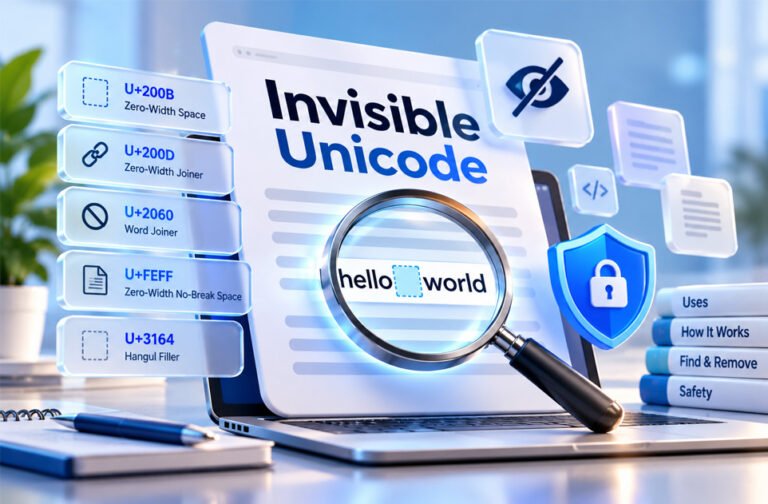
Invisible Unicode characters are real characters that you cannot always see on the screen. They can be hidden inside normal text, but computers can still read and process them.
People search for invisible Unicode for many reasons. Some want blank text for a username, bio, or message. Others want to find hidden characters that are causing problems in code, files, passwords, or databases.
These characters also have many normal uses. They help with languages, emoji, spacing, line breaks, and text direction. However, they can sometimes cause problems or be misused in phishing.
This guide explains what invisible Unicode is, how it works, its common uses, possible risks, and how to find or remove hidden characters.
What Is Invisible Unicode?
Invisible Unicode is a general name for Unicode characters that cannot normally be seen or that look like blank space.
They are still real characters. Each one has its own Unicode code point. A computer can copy, save, count, search, and process them even when you cannot see them.
For example, a word may look completely normal but have a zero-width character between two letters. You cannot see the hidden character, but it is still part of the text.
This means two words can look exactly the same but still be different to a computer.
There are several main types:
- Zero-width characters: Take up no visible space.
- Blank-looking characters: Take up space but look empty.
- Unicode spaces: Create different amounts of spacing.
- Format characters: Control how text works or appears.
- Directional characters: Control left-to-right and right-to-left text.
- Variation selectors: Change how another character appears.
Each type has a different purpose. This is why you should understand a hidden character before removing it.
How Invisible Unicode Works
Every Unicode character has a code point. This is a special number used to identify the character.
For example, the capital letter A has the code U+0041. The Zero-Width Space has the code U+200B.
If U+200B is placed inside a word, the computer still knows it is there. The screen simply does not show a visible symbol for it.
For example, these may look the same:
helloworld
helloworld
However, the second version could have a hidden U+200B between “hello” and “world.”
A computer may see these as two different strings. This can affect passwords, usernames, searches, filenames, databases, and other systems that need an exact text match.
Zero Width Does Not Mean Zero Data
A zero-width character does not take up visible space, but it still uses data.
For example, U+200B uses three bytes when stored in UTF-8.
This can explain why a word may look like it has 10 characters while software says it has 11.
Some invisible characters are different. For example, U+2800 looks blank but takes up space on the screen.
So, invisible, blank, and zero-width do not always mean the same thing.
Common Types of Invisible Unicode Characters
Unicode has many invisible characters. Different characters have different jobs.
Zero-Width Space (U+200B)
The Zero-Width Space, also called ZWSP, is one of the best-known invisible characters.
It marks a place where text can move to a new line. It does this without adding a visible space.
It can be useful in languages and text where normal spaces are not always used.
However, an unwanted U+200B can cause problems with searches, usernames, filenames, code, and text matching.
Zero-Width Non-Joiner (U+200C)
The Zero-Width Non-Joiner, or ZWNJ, stops nearby characters from joining together.
It is useful in languages such as Persian and Arabic, where the way letters connect can be important.
You should not remove this character without checking why it is being used. Removing it may change how a word looks.
Zero-Width Joiner (U+200D)
The Zero-Width Joiner, or ZWJ, helps characters join together.
It is commonly used with emoji. Some emoji that look like one image are actually several characters joined by U+200D.
It is also useful in some writing systems.
Removing it may break an emoji or change how text appears.
Word Joiner (U+2060)
The Word Joiner prevents a line break between characters.
It has zero width, so you cannot normally see it.
U+2060 is now preferred when this type of zero-width line control is needed.
Zero-Width No-Break Space / BOM (U+FEFF)
U+FEFF was once used as a Zero-Width No-Break Space.
Today, it is mainly used as a Byte Order Mark (BOM) in text files.
An unwanted BOM can sometimes cause problems at the beginning of a file. Software may read it as an extra character.
For normal line-break control, U+2060 is usually used instead.
Hangul Filler (U+3164)
Hangul Filler U+3164 comes from the Korean Hangul character system.
It looks blank in many places, but Unicode treats it as a letter rather than a normal space.
Because of this, people sometimes use it for blank-looking usernames, bios, gaming names, and messages.
Related characters include U+115F and U+1160.
These characters do not work everywhere. Apps and websites can block them.
Braille Pattern Blank (U+2800)
Braille Pattern Blank U+2800 represents an empty Braille cell.
It looks like blank space on many devices.
However, it is not a zero-width character. It normally takes up space.
People sometimes use it for blank messages, names, or formatting. Its appearance may change depending on the device, font, or app.
Directional Marks
Directional marks help text display correctly when different writing directions are used together.
Two common examples are:
U+200E — Left-to-Right Mark (LRM)
This helps control left-to-right text.
U+200F — Right-to-Left Mark (RLM)
This helps control right-to-left text.
These characters are useful when English is mixed with languages such as Arabic or Hebrew.
Removing them may change the order of words, numbers, or punctuation.
Variation Selectors
Variation selectors help control how another Unicode character appears.
A common range is U+FE00 to U+FE0F.
Two important examples are:
U+FE0E: asks for text-style display.
U+FE0F: asks for emoji-style display.
The variation selector itself is normally invisible.
Other Format Characters
The Soft Hyphen U+00AD shows where a word can be split with a hyphen at the end of a line. It normally stays invisible if the word does not need to break.
The Combining Grapheme Joiner U+034F is used for special text-processing needs.
The Mongolian Vowel Separator U+180E is used with Mongolian text. Unicode changed it from a space character to a format character in Unicode 6.3.
These characters show why hidden Unicode should be checked before it is removed.
Invisible Unicode Spaces
Unicode has many types of spaces besides the normal keyboard space.
These special spaces are useful in typography, mathematics, numbers, and different writing systems.
Some examples are:
- En Space U+2002
- Em Space U+2003
- Three-Per-Em Space U+2004
- Four-Per-Em Space U+2005
- Six-Per-Em Space U+2006
- Figure Space U+2007
- Punctuation Space U+2008
- Thin Space U+2009
- Hair Space U+200A
- Narrow No-Break Space U+202F
- Medium Mathematical Space U+205F
- Ideographic Space U+3000
These spaces have different widths and purposes.
For example, Figure Space can help line up numbers. Thin Space and Hair Space are useful for small gaps in professional text. Ideographic Space is a full-width space used in Chinese, Japanese, and Korean text.
Most of these characters are not truly zero-width. They create blank space even though they do not show a normal symbol.
Common Uses of Invisible Unicode
Invisible Unicode has many useful purposes.
Zero-width spaces can tell software where a line may break without adding a visible space.
Joiners and non-joiners help letters display correctly in some languages. Directional marks help when left-to-right and right-to-left languages appear together.
Invisible characters are also important for emoji. A Zero-Width Joiner can connect several emoji characters so they appear as one emoji.
Special Unicode spaces are useful for typography, numbers, punctuation, and mathematical text.
People also use blank-looking characters for:
- Blank usernames
- Empty-looking bios
- Blank messages
- Social media profiles
- Gaming names
- Captions
- Special spacing
These uses do not work on every platform. Apps and websites may block some invisible characters.
Invisible characters can also be used for hidden text markers or watermarks. For example, different copies of a document could contain different hidden characters.
This can be useful, but it may also create privacy concerns if people do not know the hidden markers are there.
Where Hidden Unicode Characters Come From
Invisible characters are not always added on purpose.
Copying and pasting text is a common source. Word processors and websites can contain special spaces, soft hyphens, direction marks, and other hidden characters.
PDF files can also add unexpected characters when text is copied from them.
Other common sources include:
- Microsoft Word
- Google Docs
- Websites
- HTML
- CMS content
- Database exports
- Spreadsheets
- Emoji
- Multilingual text
- Stylish-text tools
- Invisible-text generators
- File encoding and BOMs
AI-generated or AI-processed text may also contain unusual Unicode in some cases. This does not mean AI text is normally dangerous. It simply means important text should be checked when exact characters matter.
The main problem is that hidden characters can stay inside copied text without being visible.
Problems Invisible Unicode Can Cause
Invisible Unicode can cause problems when software needs an exact text match.
For example, two passwords or usernames may look the same but contain different characters.
Search can also fail. A word containing U+200B is not technically the same string as the visible word without U+200B.
Hidden characters can also change the character count. A field may look like it contains 10 characters while the computer counts 11.
Other possible problems include:
- Duplicate detection errors
- Search and replace problems
- Filename issues
- URL or slug problems
- Database matching errors
- Spreadsheet problems
- Data import errors
An unexpected U+FEFF BOM can also cause problems at the beginning of CSV, JSON, script, or text files.
Removing hidden characters without checking can create new problems. For example, removing a ZWJ may break an emoji. Removing a direction mark may affect Arabic or Hebrew text.
For this reason, it is better to find the character first and then decide whether it should be removed.
How to Find Invisible Unicode Characters
You cannot always find invisible Unicode by looking at the text. You need to check the characters stored inside it.
Use an Invisible Character Checker
An invisible character checker is one of the easiest options.
Paste the text into the tool, and it may show the hidden character, its Unicode code, and where it appears.
This is useful for short and non-sensitive text.
Do not paste passwords, private documents, API keys, or other sensitive information into an unknown online tool.
Show Hidden Characters in a Text Editor
Many text editors can help show hidden characters.
VS Code can highlight invisible Unicode and display whitespace.
Notepad++ has options for showing hidden formatting symbols.
Sublime Text can also display whitespace more clearly.
These tools are useful when hidden characters are causing problems in code or files.
Search With Regex
Regex can be used to search for known invisible Unicode characters.
This is helpful when checking a large document, many lines of text, or a codebase.
Do not automatically remove every character found by a broad search. Some may be needed for languages, emoji, or formatting.
Inspect Unicode With Code
Programming languages such as JavaScript and Python can show the exact Unicode code points inside a string.
This is useful when a hidden character is causing problems in an application, database, API, or other technical system.
Check String Length
Character count can also provide a clue.
If a word looks like it has five characters but the software counts six, a hidden character may be present.
This does not tell you which character is hidden, but it can help confirm that something extra is inside the text.
How to Remove Invisible Unicode
First, try to identify the hidden character.
For simple text, you can use a trusted invisible-character remover or Find and Replace.
Developers can use regex or string replacement in languages such as JavaScript and Python.
In Microsoft Excel, the SUBSTITUTE function can remove a specific Unicode character. TRIM and CLEAN can remove some unwanted characters, but they do not catch every type of invisible Unicode.
In Google Sheets, REGEXREPLACE can help remove selected characters.
Database administrators can also remove known characters with SQL. It is a good idea to check the affected records and keep a backup before making large changes.
Microsoft Word users can use Find and Replace. However, Word’s formatting marks may not show every zero-width character.
If a CSV, JSON, script, or text file has a problem at the very beginning, check for an unwanted BOM.
Do not use a rule that removes every invisible Unicode character. It could damage emoji, languages, formatting, and valid text.
Find the character first. Then remove it only if it is not needed.
When You Should Not Remove Invisible Characters
Some invisible characters are important and should stay in the text.
The Zero-Width Joiner U+200D is used in many emoji sequences. Removing it may split one emoji into several separate symbols.
The Zero-Width Non-Joiner U+200C is important in languages such as Persian and Arabic. Removing it may change how a word appears.
Directional marks can help English, Arabic, Hebrew, numbers, and punctuation display in the correct order.
Special spaces may also have a purpose. A non-breaking space can keep related words or numbers on the same line.
Variation selectors can control whether a character appears as text or as an emoji.
Do not remove a hidden character only because you cannot see it. Check what it does first.
Is Invisible Unicode Safe?
Invisible Unicode itself is generally safe.
These characters are a normal part of Unicode. They are used by modern websites, apps, operating systems, and other software.
An invisible character is not malware.
However, the way it is used can matter.
A Zero-Width Joiner inside an emoji is normal. A direction mark in multilingual text can also be normal. A hidden character accidentally copied into Excel is usually just a text problem.
But someone can also use invisible characters to make text misleading.
They may also be used as hidden markers or watermarks. This can raise privacy concerns if people do not know the markers are present.
Be careful with online invisible text tools as well. Do not paste passwords, private messages, confidential files, or other sensitive information into a website you do not trust.
Invisible Unicode in Phishing and Cybersecurity
Attackers can misuse invisible Unicode because a person and a computer may read the same text differently.
For example, an attacker could place an invisible character inside a word in a phishing email.
The word may still look normal to the person reading it. However, a simple security filter may see the hidden character and treat the word as a different string.
This can affect basic systems that depend on:
- Keywords
- Text signatures
- Regular expressions
- Spam checks
- Text tokenization
- Some machine-learning filters
This does not mean invisible Unicode can always bypass email security. Modern security tools may detect or remove unusual hidden characters.
Hidden characters can even become a warning sign. An unusual invisible character inside a financial word, for example, may give a security system another reason to inspect the email.
ASCII Smuggling and the 2026 Phishing Campaign
A reported phishing campaign in 2026 showed how invisible Unicode could be misused on a large scale.
According to reports about Microsoft research, attackers placed invisible Unicode tag characters inside finance-related phishing emails. The method was described in connection with ASCII smuggling.
The campaign reportedly used characters from the Unicode Tags block, U+E0000 to U+E007F. One character mentioned was U+E0020, TAG SPACE.
These characters do not normally show a visible symbol.
Attackers could place them inside important words. A person could still read the word normally, while some simple text checks might see a different character sequence.
The emails reportedly used offers related to business funding, loans, credit, and similar financial services.
According to the reported Microsoft detection data, there were about 21,000 hits on February 8, 2026 and more than 1.3 million on February 9.
The campaign later reportedly passed 2.3 million messages in one day and stayed active at high levels for about three months.
Activity was reported to be much lower on weekends and increase again during weekdays.
The campaign also reportedly used many finance-related sender domains and shared email-marketing systems.
These numbers relate to this reported campaign. They do not show how common all invisible Unicode phishing attacks are.
Invisible Unicode and AI Security
Invisible Unicode can also matter when AI systems read emails, documents, websites, or other text.
An AI system may process hidden characters even when a person cannot see them.
This can become important with prompt injection. Prompt injection happens when outside content contains instructions designed to affect how an AI system behaves.
The reported 2026 phishing campaign was found while Microsoft researchers were studying protection against hidden prompt-injection content in email.
Security systems can inspect and normalize text before it reaches an AI system.
However, they need to be careful. Removing every hidden character can damage valid languages, emoji, and formatting.
An invisible character should therefore be treated as one possible security signal, not automatic proof of an attack.
How to Protect Against Malicious Invisible Unicode
Security tools should not depend only on exact keyword matching.
Text can be checked and normalized before security rules are applied. This may help systems recognize words that have been broken up with hidden characters.
Security systems can also flag unusual invisible characters when they appear in places where they are not normally needed.
Other security checks are still important. These include:
- Sender reputation
- Email authentication
- URL checks
- Domain behavior
- Unusual email volume
- Message content
- Known phishing signs
Businesses can test their email security tools to see how they handle hidden Unicode.
Websites should also carefully check important user input, such as usernames, account names, URLs, and filenames.
People should be careful with unexpected loan, credit, or business funding emails. Check the sender and links before entering passwords or other private information.
The goal is not to block Unicode. The goal is to find unusual or misleading use while keeping normal Unicode text working correctly.
Tips for Avoiding Accidental Invisible Characters
Paste text as plain text when you do not need its original formatting.
Be careful when copying from PDFs, Word documents, websites, and other formatted sources.
Check important text before using it in URLs, usernames, code, headings, slugs, or database fields.
Developers can turn on Unicode highlighting in their text editor.
If a CSV, JSON file, or script has a strange problem at the beginning, check for a BOM.
If two values look the same but do not match, check their character count and Unicode code points.
Do not remove hidden characters from multilingual text without checking their purpose.
A simple rule works well: check first, remove second.
Benefits and Drawbacks of Invisible Unicode
Invisible Unicode has useful purposes, but it can also cause problems.
Benefits
- Helps different languages display correctly.
- Controls line breaks.
- Joins or separates characters.
- Helps create combined emoji.
- Controls left-to-right and right-to-left text.
- Provides better spacing for typography.
- Helps with mathematical text.
- Can create blank-looking text where supported.
- Can support special text-processing uses.
Drawbacks
- Hidden characters can be hard to find.
- Identical-looking text may not match.
- Copying and pasting can add unwanted characters.
- Search and Replace may not work as expected.
- Hidden characters can cause problems in code and databases.
- They may cause issues in spreadsheets and files.
- Some apps may block blank-looking characters.
- Removing valid characters can damage text.
- Attackers may misuse them to hide changes in text.
Whether an invisible character is useful or unwanted depends on where and why it is being used.
Bottom Line
Invisible Unicode characters are real characters even when you cannot see them.
They have many normal uses. They help with languages, emoji, line breaks, spacing, text direction, and other parts of digital text.
Some invisible characters have zero width. Others look blank but still take up space.
Problems happen when a hidden character appears where it is not expected. It may stop two strings from matching, cause search problems, or create errors in files and databases.
Invisible Unicode can also be misused in phishing and other security attacks. However, the characters themselves are not dangerous.
If you find an invisible character, identify it first. Remove it only when you know it is not needed.
Frequently Asked Questions
What is invisible Unicode?
Invisible Unicode is a character that you cannot see on screen, but a computer can still read and store it.
What is the most common invisible Unicode character?
Zero-Width Space (U+200B) is one of the most common. It is invisible and takes up no visible space.
What Unicode character can be used for blank text?
Hangul Filler (U+3164) and Braille Pattern Blank (U+2800) can create blank-looking text on many platforms.
How can I find invisible characters in text?
Use an invisible character checker or a text editor that can show hidden Unicode characters.
How do I remove invisible Unicode characters?
Find the hidden character first, then remove it with Find and Replace, regex, or a trusted text-cleaning tool.
Why do two identical-looking strings not match?
One string may contain an invisible character or special space. They look the same, but the computer reads them differently.
Are invisible Unicode characters dangerous?
Usually, no. They are normal Unicode characters, but attackers can sometimes misuse them in phishing or misleading text.
Should I remove all invisible Unicode characters?
No. Some are needed for languages, emoji, spacing, and text formatting. Only remove characters that are causing a problem.
