


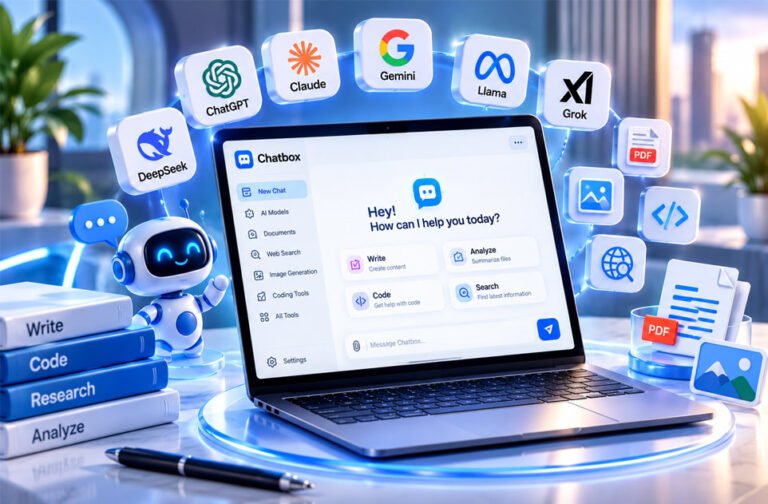
Chatbox is an AI app that lets you use different AI models in one place. You do not need to open many separate AI websites.
People search for Chatbox to learn how it works, which AI models it supports, how much it costs, and whether it is safe. This guide covers its features, pricing, supported devices, privacy, benefits, drawbacks, and alternatives.
What Is Chatbox?
Chatbox is an AI app that gives you access to different AI models from one interface. It can save you from opening a different website for every AI service you use.
Chatbox is not an AI model itself. It connects you with AI models and services. Depending on your setup, you can use Chatbox AI, connect your own API key, or run a supported AI model on your computer.
This can be useful for people who use several AI models. For example, a developer can use one model to write code and another to check it.
A chat box can also mean the message window used on websites. A chatbot is software that automatically answers messages. The Chatbox discussed in this review is an AI application, not a normal customer-support chat box.
How Does Chatbox Work?
Chatbox works as one place for talking to different AI models. You enter a question or instruction, choose a model, and Chatbox shows you the answer.
There are different ways to access AI models.
One option is the managed Chatbox AI service. This is easier for people who do not want to set up separate API accounts.
Another option is Bring Your Own Key (BYOK). You connect an API key from a supported AI provider and use its models through Chatbox.
An API is usually billed separately from a normal AI subscription. Paying for a regular chatbot plan does not always give you paid API access.
Chatbox can also connect to local AI tools such as Ollama and LM Studio. This allows supported AI models to run on your own computer.
Available features depend on the model you choose. For example, some models can understand images, while others only work with text.
You can also switch between different models. This makes it easier to compare answers or choose a better model for a certain task.
Getting Started With Chatbox
Chatbox can be installed on supported desktop systems. Mobile versions are also reported to be available through official app stores.
After opening Chatbox, you need to choose how you want to access AI models. You can use the managed Chatbox AI service or add your own API keys.
Some versions also use an account system. Email verification and social sign-in options have been reported, but available login methods may depend on the platform.
After setup, you can start a new chat and select an AI model. You can then enter a normal question or instruction.
Supported files can also be uploaded. For example, you may use Chatbox to summarize a PDF, check code, translate a document, or understand a screenshot.
Using your own API key requires more setup. Running AI models locally can require even more setup because you need the model and supporting software on your computer.
For beginners, the managed service is usually easier. BYOK and local AI are more useful for people who want greater control.
Chatbox Supported Platforms
Chatbox is reported to support:
- Windows
- macOS
- Linux
- iOS
- Android
The desktop app can be especially useful for coding, working with local files, setting up API keys, and running local AI models.
Features may be different between desktop and mobile versions.
There is also conflicting information about chat syncing. One source says chats can sync between devices. Another says chat history is stored separately on each device.
If cross-device syncing is important to you, check the latest Chatbox information before relying on this feature.
AI Models Available in Chatbox
Chatbox can provide access to AI models from different companies.
The collected information reports support for models from OpenAI, Anthropic, Google, and other AI companies.
This gives users more choice. One model may be better for writing, while another may be useful for coding, translation, research, or difficult questions.
Reported options include OpenAI’s GPT models, Anthropic’s Claude models, and Google’s Gemini models.
Other reported choices include models or services from xAI, DeepSeek, Qwen, Meta, and other AI developers.
The available model list can change. AI companies regularly release new models and stop supporting older ones. Chatbox can also add or remove models.
For this reason, users should check the current model list if they need a specific model.
Having several models also makes comparison easier. If one AI gives a poor answer, you can try another model. However, two AI models giving the same answer does not always mean the answer is correct.
Main Chatbox Features
Chatbox includes several tools for working with AI. Some features depend on the model, plan, platform, or API service you use.
Multi-Model Chat
Chatbox lets you use different AI models from one interface.
This is helpful if you regularly use several AI services. You can choose a model based on your task instead of opening several websites.
Some versions also allow you to change models while keeping the earlier conversation. This can save time when you want another AI model to check the same task.
Web Search
Chatbox offers web-search features for finding newer information online.
This is useful when an AI model’s built-in knowledge is not recent enough. Search answers may also include links or citations.
You should still open important sources and check the information yourself. AI can misunderstand a webpage or use a weak source.
Document Analysis
Chatbox can work with uploaded files.
Reported supported formats include PDF, DOCX, XLSX, and TXT. Exact support can depend on the version and model.
You can use document tools to summarize files, find information, translate text, explain sections, or answer questions about a document.
A Knowledge Base feature has also been reported for the desktop app. It can use documents or local folders as extra information for AI answers.
AI can still miss details in a document, so important information should be checked against the original file.
Coding Tools
Developers can use Chatbox for coding help.
Reported tools can explain code, find possible problems, rewrite code, create tests, and help with debugging.
Code is shown in formatted blocks, which makes it easier to read and copy.
The quality of the answer depends on the AI model. Always test AI-generated code before using it in a real project.
Image and Visual Tools
Supported AI models can understand images and screenshots.
For example, you can upload an error screenshot or design and ask the AI to explain what it sees.
Some versions also reportedly offer AI image generation, filters, image-size controls, and an image gallery.
Not every model supports these features. Access may also depend on your plan.
Custom AI Assistants and Prompts
Chatbox can be customized for repeated tasks.
Users can create instructions for tasks such as writing, coding, marketing, or research. This means you may not need to enter the same instructions every time.
These instructions can guide the AI, but they cannot guarantee a correct answer.
Technical and Productivity Tools
Chatbox also includes useful tools for technical work.
Reported features include Markdown, tables, LaTeX formulas, formatted code, keyboard shortcuts, and organized chat histories.
These tools can be useful for students, developers, writers, and researchers.
Chatbox AI vs Bring Your Own API Key
Chatbox offers two main ways to access cloud AI models: Chatbox AI and Bring Your Own Key.
With Chatbox AI, the service manages access to supported models. This is easier because you do not need to manage several API accounts.
With BYOK, you add your own API key from a supported AI company. Chatbox provides the interface, while that provider processes your request.
BYOK gives users more control. It can be useful if you already have API accounts.
However, API usage can cost extra. You may need to pay the AI provider based on how much you use its API.
You should also keep API keys private. If someone gets your key, they may be able to use your account and create charges.
Chatbox AI is generally simpler for beginners. BYOK is better suited to people who want more control over their AI setup.
Using Local AI Models With Chatbox
Chatbox can also work with local AI models through tools such as Ollama and LM Studio.
A local model runs on your own computer instead of sending every request to a cloud AI service.
This can give you more control over private information. It can also reduce the need to pay for cloud API requests.
Some local AI setups can work without an internet connection after the needed software and models have been installed.
However, local models can require powerful hardware. Large models may need plenty of RAM, storage, processing power, or graphics memory.
Older computers may run large models slowly or may not be able to run them at all.
Local models can also give different results from leading cloud models. Users should choose a model that matches both their needs and their computer.
Chatbox Pricing and Plans
Chatbox is reported to have free and paid plans.
Prices can change, so users should check the latest official pricing before paying.
| Plan | Reported Price |
|---|---|
| Free | $0 per month |
| Lite | $3.99 per month |
| Pro | $13.99 per month |
| Pro with annual billing | $7.99 per month equivalent |
| Team | $19.99 per user per month |
The Free plan is reported to offer limited access and support for BYOK.
The Lite plan is reported to cost $3.99 per month. It is designed for people who want simple managed AI access.
The Pro plan is reported at $13.99 per month. A lower monthly price has also been reported when paying annually. This plan is aimed at people who use AI more often.
The Team plan is reported at $19.99 per user each month. It is designed for groups and teams.
These are reported prices from the collected information. Plans, limits, features, and prices may change.
If you use your own API key, the AI provider may also charge you separately.
Is Chatbox Free?
Yes, a free option is reported to be available.
The free version can be useful for trying Chatbox or connecting your own API keys.
However, using Chatbox for free does not mean every AI model is free. If you connect a paid API, the provider may charge you for your usage.
Free managed AI access may also have limits. People who use AI regularly may need a paid plan or their own API access.
Privacy and Data Storage
Chatbox is described as having a local-first approach on desktop.
This means some information, such as chat history and settings, may be stored on your own device.
However, local chat storage does not mean every AI request stays on your computer.
If you choose a cloud AI model, your prompt may need to be sent to the company that provides that model. Its privacy rules can then apply to your data.
The same issue matters when uploading documents. A file may be stored locally but still need to be sent to an outside AI provider for processing.
Using a local AI model can give users more control because the processing can happen on their own computer.
There is conflicting information about syncing chats between devices. Users should check the current Chatbox privacy policy and documentation if syncing or data storage is important to them.
Is Chatbox Safe to Use?
Chatbox can be used with normal online safety steps.
Download the app from its official source or a trusted app store. This helps you avoid fake apps.
Keep your API keys private. Do not share them in public posts, screenshots, or normal chat messages.
Be careful when uploading private documents. Check whether the AI model runs locally or sends your information to an outside service.
You should also check important AI answers. AI models can give incorrect information, misunderstand documents, or generate code with errors.
Do not automatically rely on AI answers for important medical, legal, financial, security, or business decisions.
Benefits of Using Chatbox
Chatbox can make it easier to work with several AI models.
Main benefits include:
- Multiple AI providers in one place.
- Easy model comparison.
- Support for your own API keys.
- Support for local AI models.
- Document analysis.
- Coding help.
- Web search.
- Image analysis with supported models.
- Local storage features on desktop.
- Less need to move between different AI websites.
BYOK may also save money for some users because they can pay only for the API usage they need. However, heavy API use can also become expensive.
Drawbacks and Limitations
Chatbox may feel complicated for beginners because it offers many models and settings.
Using your own API keys also requires extra work. You need to create the keys, keep them safe, understand pricing, and watch your usage.
Local AI models can require powerful hardware and a lot of storage.
Cloud models normally need an internet connection. Their prices, limits, and features can also change.
Not every model supports the same features. Some may support images and documents, while others may only work with text.
There is also unclear information about chat syncing between devices.
AI accuracy is another limitation. Using several models does not guarantee a correct answer.
Some tasks may also require extra manual work. For example, one supplied review reported that there was no simple one-click option to export analyzed results directly to CSV or Google Sheets.
Who Should Use Chatbox?
Chatbox can be useful for people who regularly use several AI models.
Developers can use it for writing, explaining, checking, and debugging code.
Writers can use different models for research, drafting, and editing.
Researchers and students can use its document tools to summarize and understand files. Students should still follow their school’s rules for AI use.
People who already have API keys may also find Chatbox useful because they can manage supported AI services from one place.
Users interested in privacy may prefer its local storage and local-model options.
However, someone who only uses one AI model may find the official app from that AI provider easier.
Chatbox Alternatives
There are several alternatives to Chatbox. Each one has different features and is suitable for different users.
ChatHub
ChatHub lets users access and compare different AI chatbots.
It is useful for people who want to ask several AI models the same question and compare their answers.
It may be a good choice if model comparison is more important to you than local AI features.
TypingMind
TypingMind is another interface for using AI models.
It offers tools for managing prompts, models, and API connections. It can be useful for people who prefer using their own API keys.
It is mainly suited to users who want more control over their AI interface.
LibreChat
LibreChat is an open-source AI chat platform.
It gives users more control over how their AI setup is hosted and connected to different providers.
It can be useful for developers and technical users. However, setting it up may require more technical knowledge.
Poe
Poe provides access to different AI models and user-created bots from one platform.
It is designed to make switching between bots simple. Users do not need to manage every AI service separately.
Poe can be useful for people who want an easy multi-model service without setting up their own APIs.
BoltAI
BoltAI is an AI desktop client focused mainly on Apple users.
It can connect AI tools with everyday desktop tasks. It may suit people who want AI closely connected to their Mac workflow.
People using Windows, Linux, or Android should compare platform support before choosing it.
Thinkbuddy AI
Thinkbuddy AI is another AI productivity tool.
It aims to make AI easier to use during everyday computer tasks. Users should compare its current models, features, pricing, and supported systems with Chatbox before choosing one.
ChatGPT, Claude, and Gemini can also be alternatives. They may be simpler if you mainly use one AI provider and do not need local models or BYOK.
Chatbox vs Chatbot: What Is the Difference?
A chat box is usually the area where people type and receive messages.
A chatbot is software that automatically answers those messages.
The Chatbox covered in this article is different. It is an AI client used to access and manage different AI models and services.
Tips for Using Chatbox
These simple tips can help you use Chatbox better:
- Choose an AI model that fits your task.
- Check important answers with reliable sources.
- Open and check web-search citations.
- Never share your API keys.
- Watch API costs when using BYOK.
- Use local models when local processing is important.
- Be careful when uploading private files.
- Keep important chats organized.
- Always test AI-generated code.
- Keep Chatbox and connected software updated.
Clear prompts can improve results, but AI answers should still be checked when accuracy matters.
Bottom Line
Chatbox gives users one place to work with different AI models. It supports cloud AI services, personal API keys, document analysis, coding tools, and reported local AI integrations such as Ollama and LM Studio.
It can be useful for developers, writers, researchers, students, and people who regularly use several AI services.
Its main drawbacks are the extra setup needed for some features, possible API costs, hardware needs for local AI, and the number of models and settings users need to understand.
Privacy also depends on how Chatbox is used. Local models can keep more processing on your computer, while cloud models may send information to outside providers.
Chatbox makes the most sense for users who want several AI models in one place and want more control over how they access them.
Frequently Asked Questions
What is Chatbox?
Chatbox is an AI app that lets you use different AI models in one place. It also has tools for files, coding, and web search.
Is Chatbox free?
Yes, Chatbox has a free option. Some AI models or API services may cost extra.
Is Chatbox the same as ChatGPT?
No. ChatGPT is an AI service from OpenAI, while Chatbox can connect you to different AI models.
Can I use my own API key with Chatbox?
Yes. Chatbox lets you connect your own API keys from supported AI providers.
Does Chatbox support local AI models?
Yes. Chatbox can work with local AI tools such as Ollama and LM Studio.
Where does Chatbox store my conversations?
Chatbox may store chat history on your device. Cloud AI services may still receive your messages when you use their models.
Can Chatbox read PDF files?
Yes. Chatbox can read supported PDFs and help summarize, explain, translate, or find information in them.
Is Chatbox safe and private?
Chatbox has local storage and local AI options. However, your data may be sent to outside providers when you use cloud AI models.
